 Simpl Courses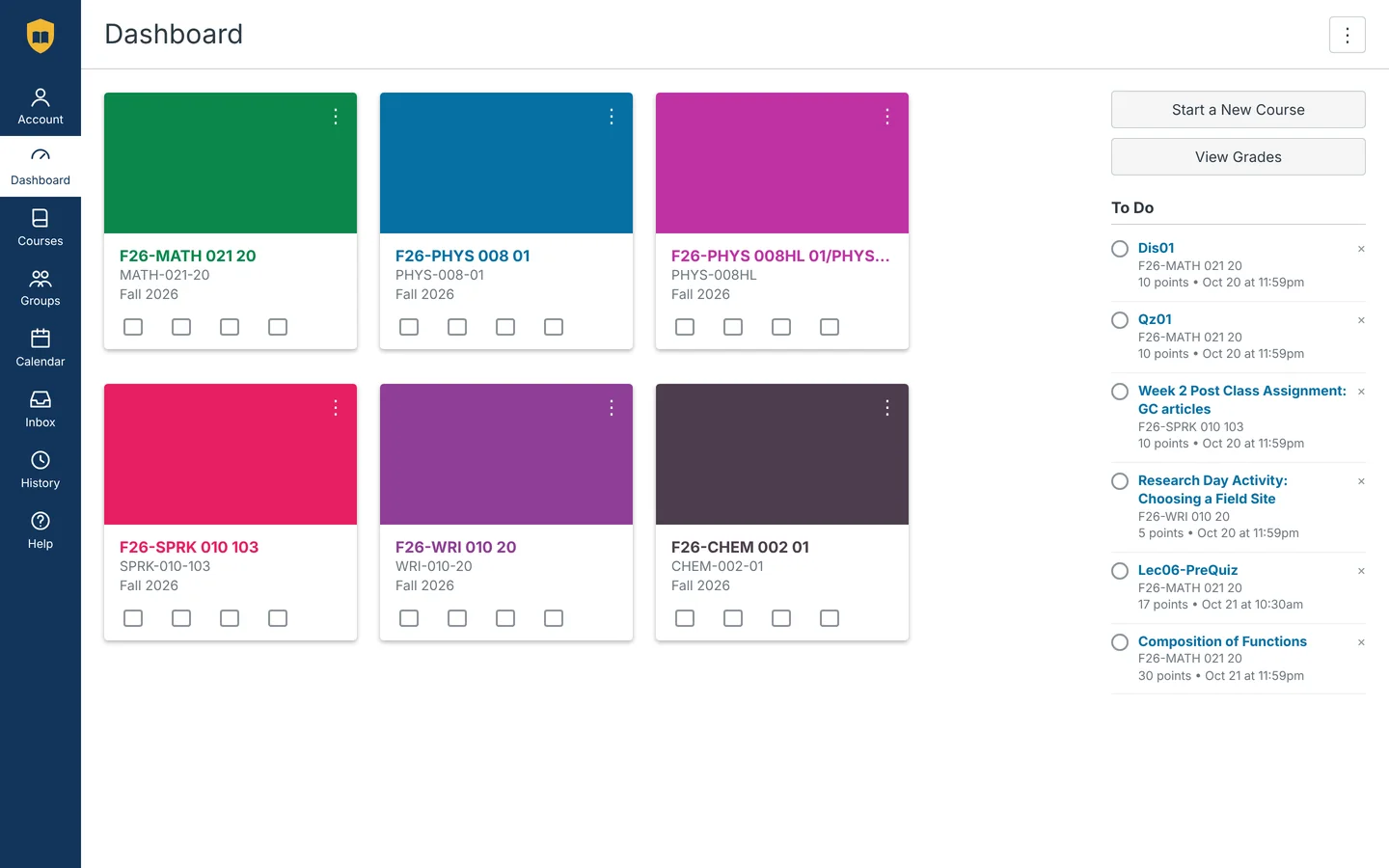

Every day


Find anything, from one box.
What’s due, and a search across every course.
- Six counters for due, overdue and graded.
- One search across every course.
- Type / to open a tool or add a task.
- To Do and the Calendar one click away.
Canvas and Brightspace, made simple.
Free. No account needed.

Drag the handle. Left: Canvas’s own Dashboard. Right: the same week in Simpl. (A made-up school, Lakeside University.)
Built for your week
Every day
What’s due, and a search across every course.

Before a quiz
Just the question and your answers.

Turning in work
Scan the code, snap a photo, done.
When grades come back
Every grade, your GPA and what’s left to hit your goal.
Studying
17 in the browser, nearly 40 in the apps.
Math
Chemistry
Biology and physics
Study and files
Pick one to see it. “App” marks a tool in the Mac and Windows apps only.

Periodic table · in the browser and the apps
When you need to focus
Silent mode turns everything else off.
Simpl for iPhone · Coming soon
Today, To Do, grades and the Calendar as an iPhone app. It isn’t on the App Store yet. Leave your email and we’ll send one note when it is.
Compared
Where Simpl is ahead.
| Feature | Simpl | BetterCampus | Canvas |
|---|---|---|---|
| Search every course at once | Yes | No | Smart Search inside one course, where the teacher turns it on |
| Mac and Windows apps | Yes (Windows in beta) | No | No, phone apps only |
| Hand in by scanning a code with your phone | Yes | No | Submit in the Canvas phone app |
| Price and account | Free, no account | Free tier; Pro $19/month. Newer features need an account | Free for students |
There’s nothing to sign up for. Simpl uses the Canvas sign-in you already have.
Simpl talks to your school’s Canvas and keeps what it needs on your device. No tracking, no ads.
The switch on every page brings back plain Canvas, on the page you were on.
Free for Canvas and Brightspace.
Mac app: macOS 14 or later · Safari: macOS 13 or later · Windows: 10 or 11, 64-bit
If your school uses Canvas or Brightspace, yes. Type its name or its Canvas address to check.

